You do the dogs.
Zamerdane does the rest.
A booking page where clients pick a time, answer your questions and pay a deposit — no account needed. A board where a whole month of walks comes together in fifteen minutes. And one calendar that holds all of it.
For the trainer working solo, and for the school with a full team.
30 days free · no card · then 50 zł a month per trainer
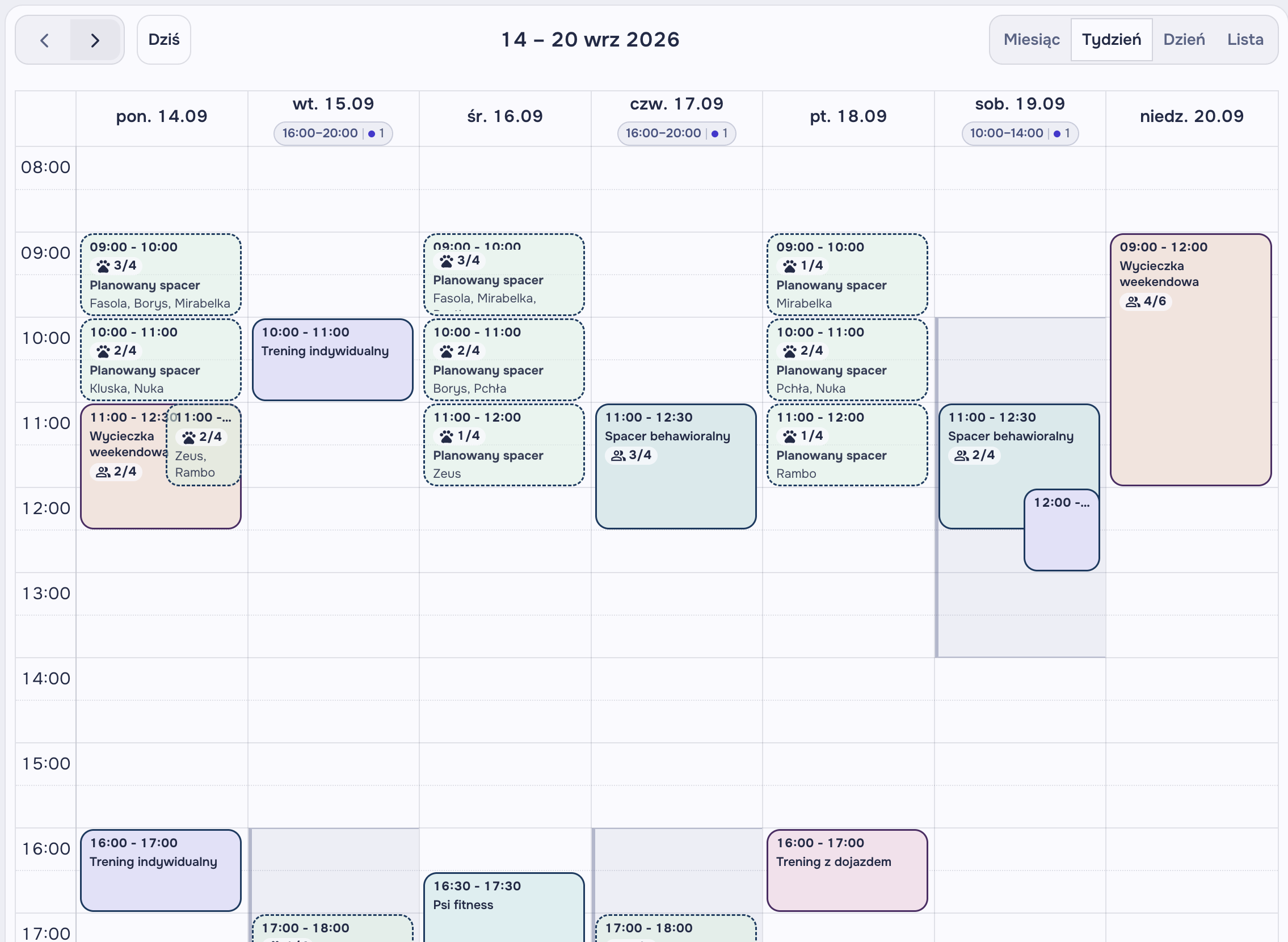
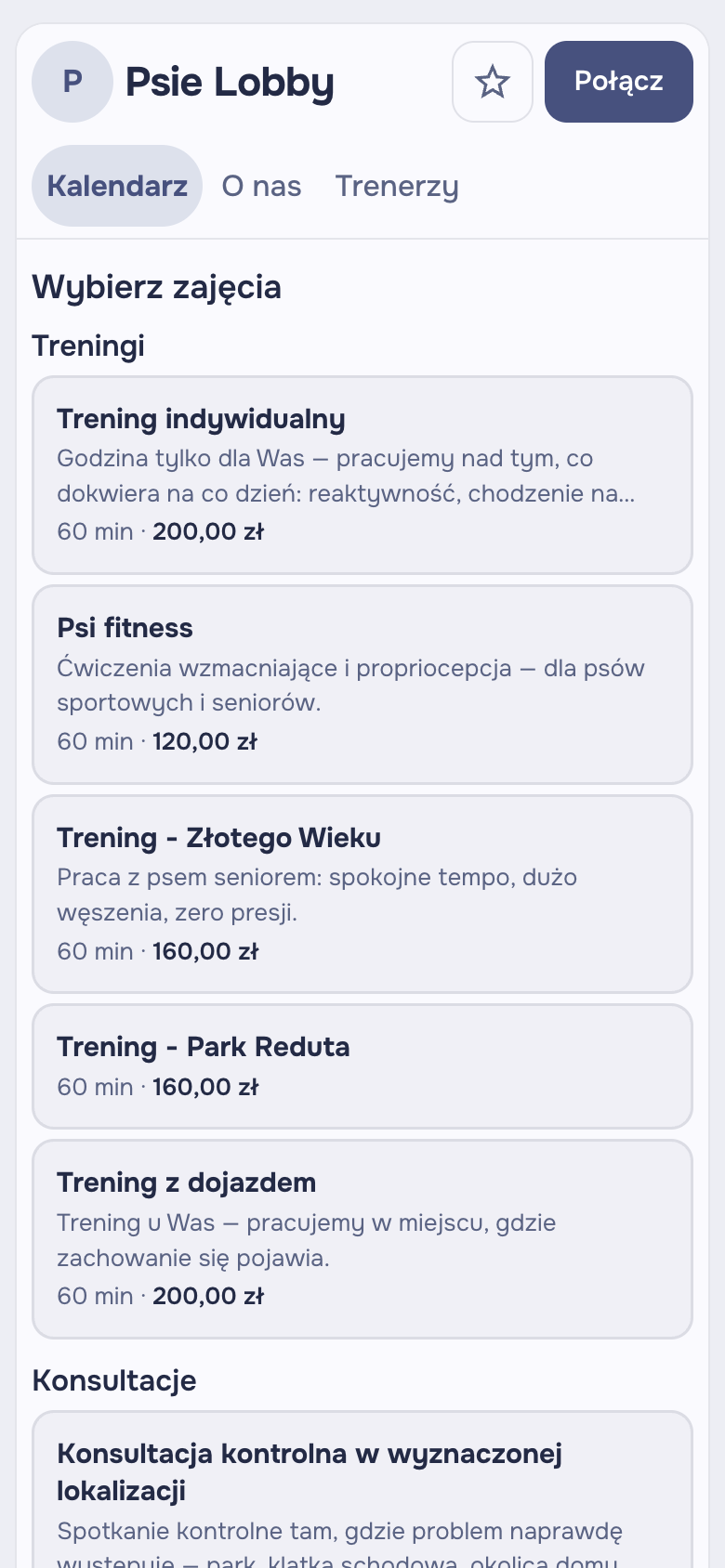
Clients book themselves. No account, no phone call, no "is there still a spot?"
You get your own booking page — post the link on your socials or add the widget to your website. The client picks a class and a time, answers your questions, accepts your terms, pays the deposit and that is that. From their phone, in a minute, at 11:40 pm.
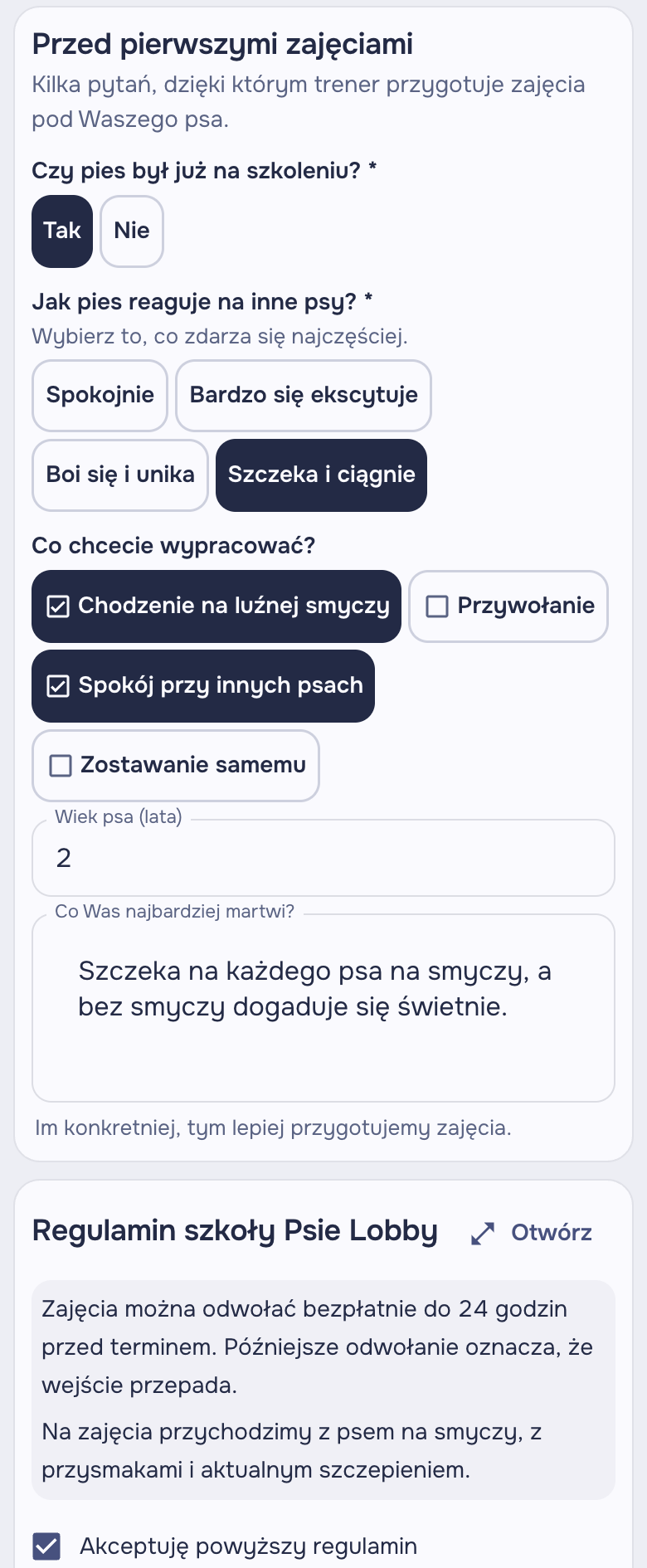
- Your questions at booking: breed, age, what you are working on — anything you want to know before the dog is at the door
- Your terms accepted with every booking, with version history
- Deposit or full prepayment: a percentage or a fixed amount, by card, BLIK or Przelewy24
- Booked instantly or held for your approval — you decide, per class
- The client cancels, reschedules or tops up from the link in their email. No account, no login
- A reminder the day before with the time, the place and the cancellation deadline
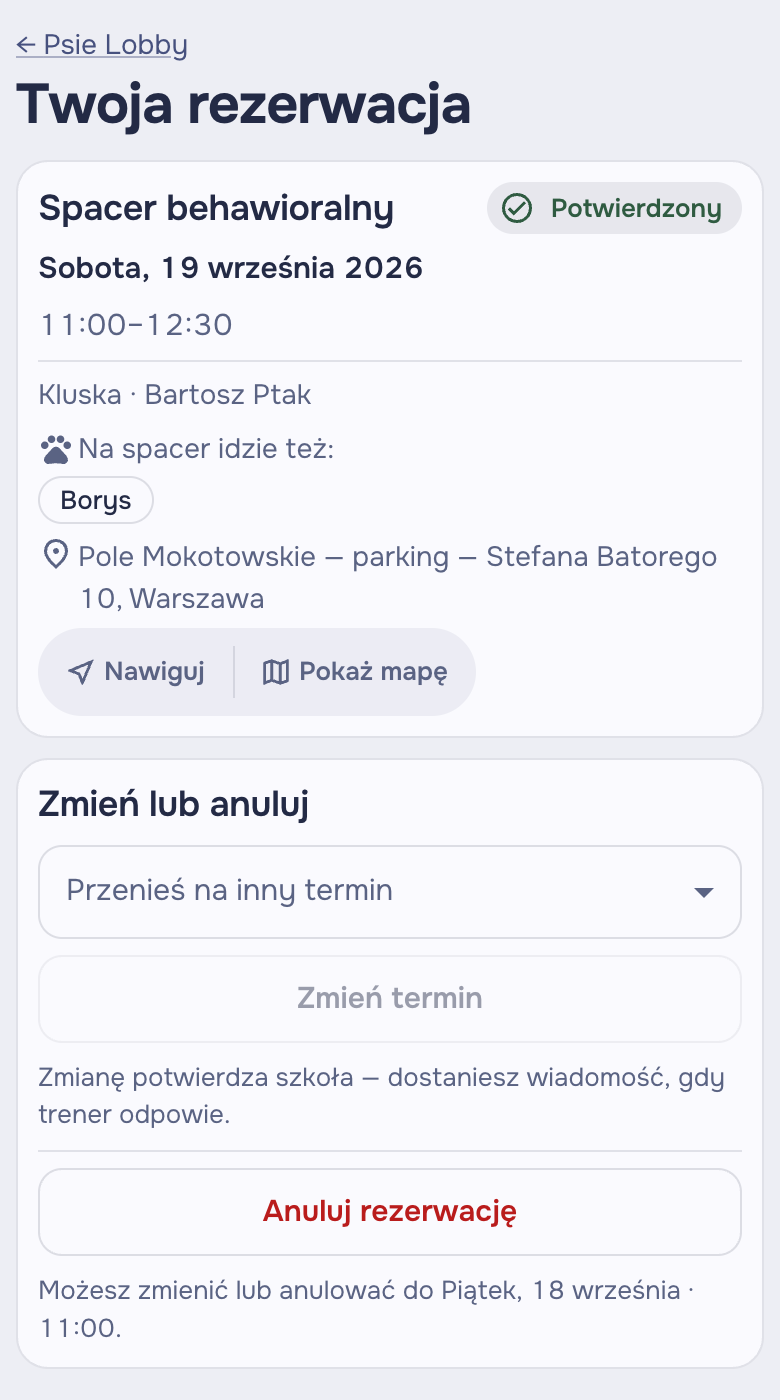
And on the client's side?
- A confirmation email with a link to the booking
- From that link: cancel up to your cut-off, move to another open slot, top up the payment
- You suggest a different time? The client accepts with one click
- An account is optional — it adds dog profiles, history and packages
A whole month of walks comes together in fifteen minutes. No spreadsheet, no group chat.
You send a walk poll. Clients tick the dates that suit them and say how many walks they want this month. You drag dogs around the board, and the board keeps an eye on the seats, the males and who could really make Saturday. At the end, one button — and everyone gets an email with only their own dates.
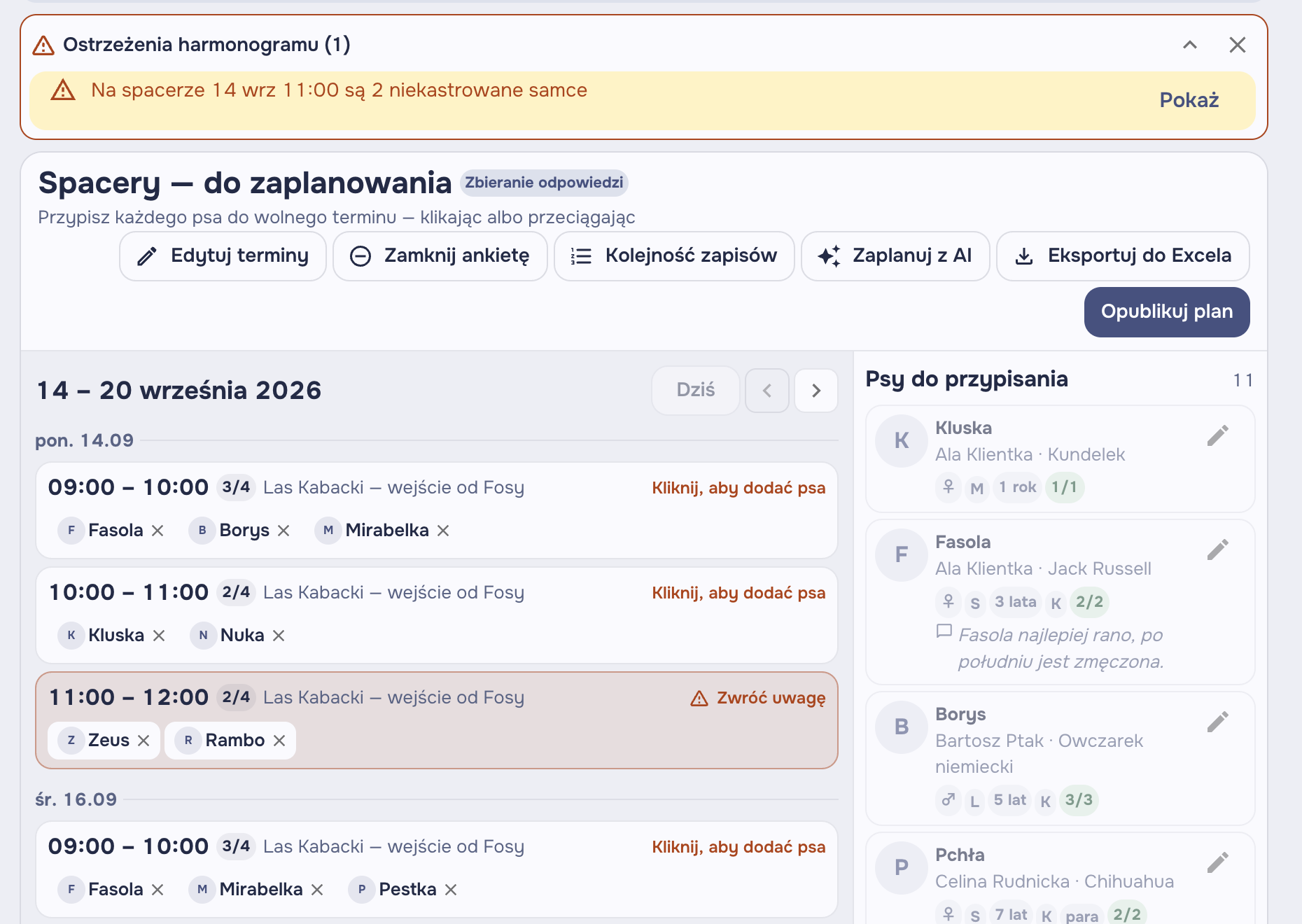
Walk poll
You tick dates in the calendar, add a meeting point and the trainer leading each one. One send, to every client.
The client answers
They tick when they can make it and say how many walks they want. Two dogs at once, if they have two. No account needed.
You arrange the board
Drag dogs between dates — with a mouse on your computer, with a finger on your phone. The board warns you before something goes wrong.
You publish the plan
Each client gets only their own dates. Change something later? The email goes only to the people it affects.
- Warns you when a group is getting too many unneutered males
- Will not let in more dogs than there are seats — unless you deliberately decide otherwise
- Sees that Burek did not tick that Saturday before you drag him onto it
- Makes sure everyone gets as many walks as they asked for — and never two on the same day
- Fill-up signups for spare seats without sending the poll again
- The client asks to move a walk from the link in their email, you approve with one click
- One public link with the plan for your Facebook group — dog names only, no surnames
- Export to Excel for those who like spreadsheets after all
AI drafts the first version. The last word is yours.
You click "Plan with AI" and get a ready starting point. The AI knows each dog's sex and neutering status, its availability, how many walks the owner wants — and your notes about the dog, which the client never sees. Plus your rules: how many unneutered males per group, whether to fill dates up or spread evenly. You check the proposal on the board and accept or reject it.
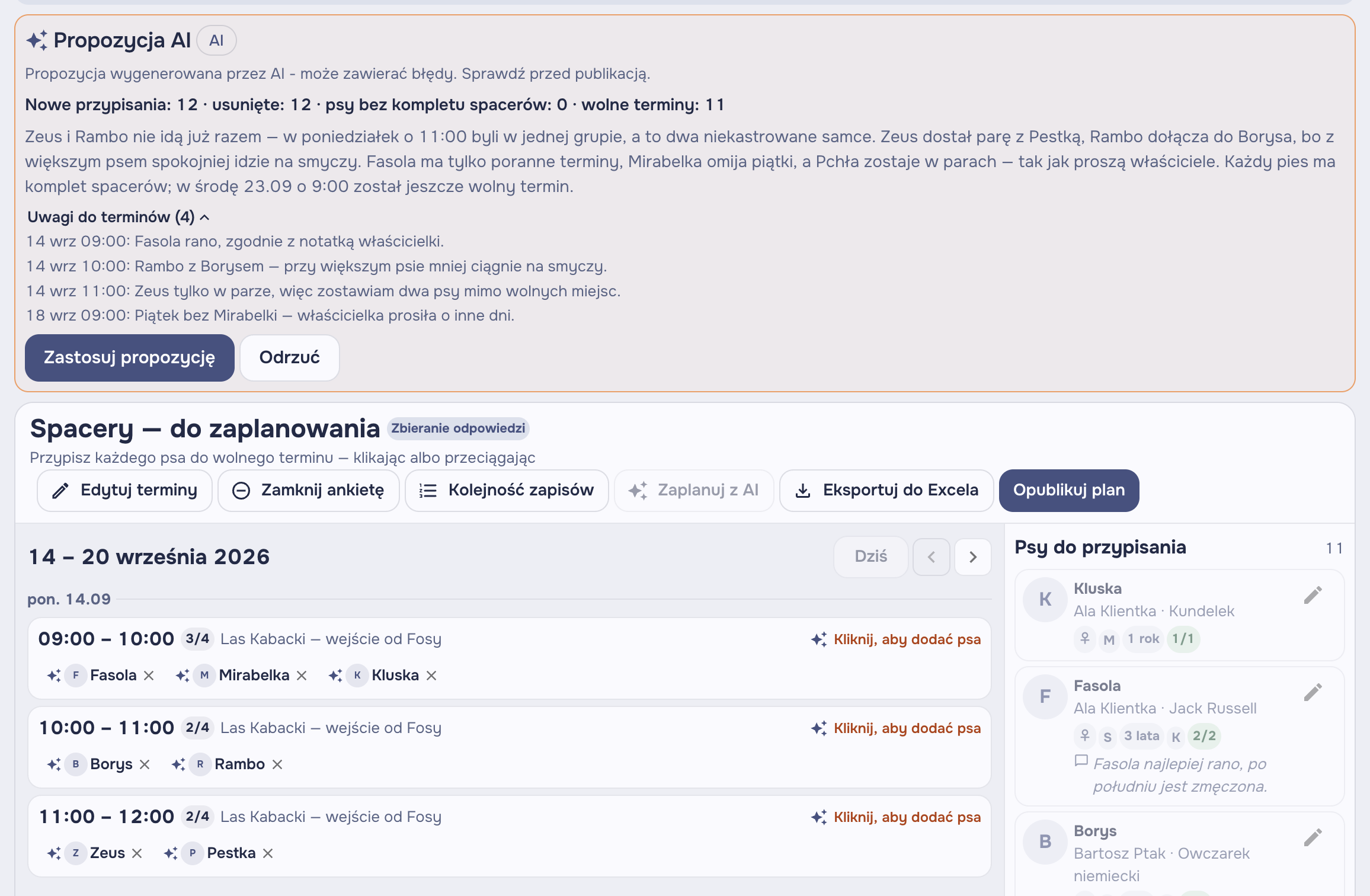
- Takes staff notes into account: "reactive to small dogs", "only walks in a pair"
- Never books anything itself — it is always a proposal for you to check
- Gets no emails, phone numbers or clients' surnames. Only dogs and dates
- Every run is saved in the history, so you can see what it proposed and why
A voice note between sessions. You record three sentences about Burek, Zamerdane writes them down and pins them to his profile — and the walk planner takes them into account at the next poll.
Your private calendar counts too
Sessions from Zamerdane land in your Google Calendar. And the dentist you put in Google blocks that slot in Zamerdane. Nobody books you for an hour you already have plans for — even if the plans are the sofa.
- Two-way sync, as it happens
- Private events block open slots
- Every trainer connects their own calendar
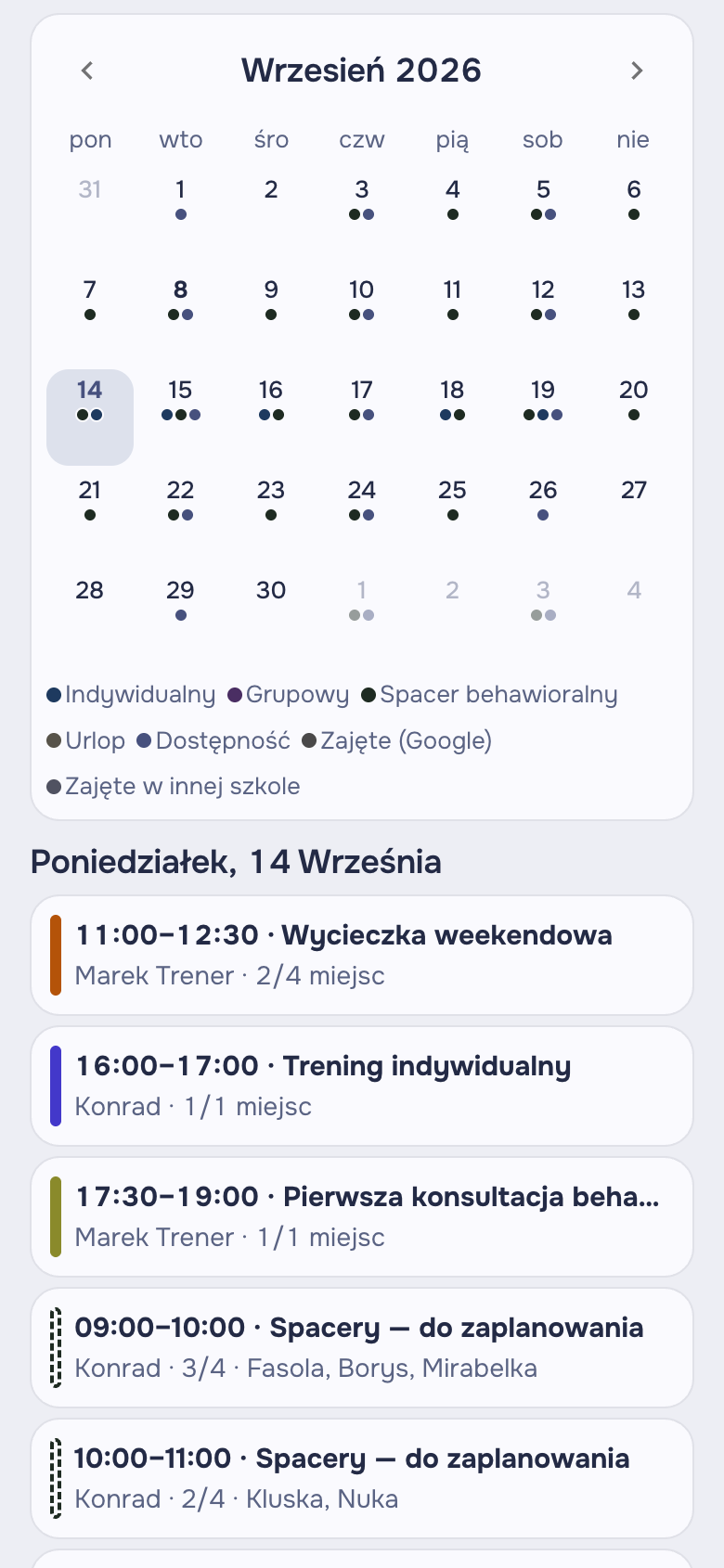
Sessions, groups, walks, holidays and bank holidays. One timeline.
You set when you take clients, and open slots generate themselves, with no gaps between sessions. Holidays and bank holidays block bookings. An eight-week course goes in once. And between sessions you check all of it on your phone as a simple agenda.
- Open slots from your working hours, with no gaps between sessions
- Buffers before and after sessions and a daily limit — time to drive over and catch your breath
- Holidays, breaks and Polish bank holidays block bookings on their own
- Recurring classes: a weekly course, a standing spot for a dog, the package counts down after each session
- Week view on your computer, agenda on your phone
- Every trainer has their own calendar, the owner sees the whole school
The money goes straight to you. Only Stripe takes a cut.
You connect your own Stripe account and sell packages online. At booking, a session comes off the package by itself, the client sees how many they have left, and the invoice is issued with your details. We do not take a penny of that money — the subscription is the only thing you pay us.
- Card, BLIK and Przelewy24 — through Stripe, into your account
- A session comes off the package at booking, not in a notebook
- Clients see what they have left and hear from us when the package is running out
- Invoices with your tax ID and VAT, if you charge it
- Works without Stripe too: you log cash or bank transfers by hand
The whole crew, their calendars, and emails that write themselves
Add trainers to your school, each with their own calendar. Set up a class once as a template. And write your client emails your way — with tags that fill in the dog's name, the date and the place for you. After a session, add a note for the owner and send it with one click.
Got a room? Rent it to another school. Haven't? Find one.
Rooms are a separate part of Zamerdane: schools list their training rooms, and other schools book them. Address, floor space, equipment, opening hours, price per hour and one calendar in which two groups physically cannot be booked for the same hour.
- Search by area, number of dogs and price — nearest first
- Booked instantly, held for confirmation, or instant for schools that have been with you before
- Same time every week? One request for the whole series
- You settle up between yourselves, as you do today. The app only shows the rate
- Someone without a school can list a room too: a behaviour clinic, a sports hall, a converted barn
Equipment the client will see in the listing
- Non-slip floor
- Fenced grounds
- Heating
- Parking
- Waiting area
- Water for dogs
- Agility equipment
- Wi-Fi
We switch it on in an area as soon as there is something to choose from. Want to list your room first?

One place for both ends of the lead
A dashboard for you and your team. A link — or an account, whichever they prefer — for dog owners. All connected.
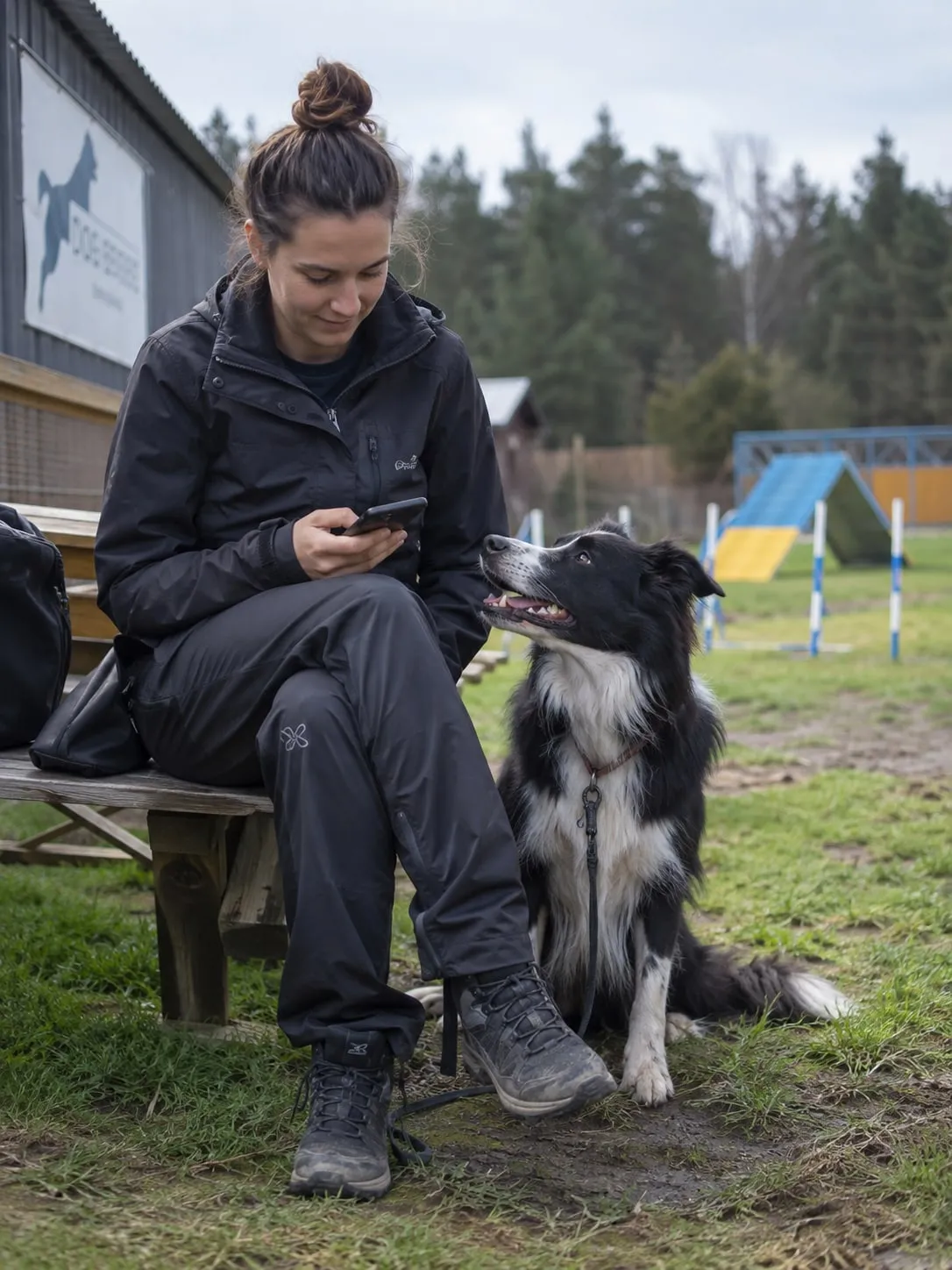
For trainers
The dashboard you run the whole school from. Works on your phone, and you can add it to your home screen.
- Calendar, bookings, working hours and holidays
- Client and dog profiles with notes only staff can see
- Packages, deposits and the inbox of requests to approve
- Walk polls and the planning board
- Team, roles, class and email templates
For dog owners
Everything from the link in the email. And if they want one, an account at /me with their whole history to hand.
- Upcoming sessions and walks, cancelling and rescheduling
- Dog profiles with photos
- Packages and sessions left, online payments
- Open walk polls and notes from the trainer
One price. No asterisks.
50 zł gross a month per trainer. Every feature, no limit on clients, bookings or walks. The first 30 days are free, with no card required.
Monthly
50 zł
gross / trainer
40.65 zł net
Working at two schools? One subscription covers it.
- Every feature, including AI for walks
- No limit on clients, dogs or bookings
- Client payments with no commission from us
- Cancel whenever you like
30 days free · no card · cancel with one click
Price includes 23% VAT. Invoice with your tax ID, or in the school's name if you prefer.
Frequently asked questions
Do clients have to create an account to book a session?
No. They pick a class and a time on your booking page, give their dog's name and an email, and that is it. From the link in the email they can later cancel, reschedule or top up. An account is optional — it adds dog profiles, history and packages in one place.
How do deposits work?
You choose a deposit, full prepayment or nothing — for the whole school or separately for selected classes. The client pays at booking by card, BLIK or Przelewy24. If they do not pay by your deadline, the spot frees itself up. What happens to the deposit on cancellation is up to your terms and one switch in the settings. Regulars can be exempt from the deposit.
How much of my clients' payments does Zamerdane take?
Nothing. The money goes through Stripe straight into your account, and Stripe charges its standard fee. Our only charge is the subscription. You do not have to use Stripe at all — you can keep taking cash and bank transfers as you do now and just log them in the app.
How does behavioural walk planning work?
You create a walk poll with dates for the month: meeting point, leading trainer, number of seats. Clients tick when they can make it and how many walks they want. Then you arrange the dogs on the planning board, which watches the seats, warns you about unneutered males in the same group and will not let you put a dog on a date it did not tick. One click sends every client only their own dates.
What exactly does the AI do, and what does it see?
When you ask it to, it drafts the first version of the walk plan. It gets the dates, each dog's sex and neutering status, their availability, the number of walks the owner asked for, and staff notes about the dog. It gets no emails, phone numbers or clients' surnames. It returns a proposal you look at on the board and accept or reject. It never books or sends anything itself.
How much does Zamerdane cost?
50 zł gross a month per trainer (40.65 zł net). That includes every feature, with no limit on clients, bookings or walks. The first 30 days are free and we do not ask for a card. A trainer working at several schools pays once.
I work on my own. Isn't this too big for me?
No. You create a school where you are the only trainer, and everything works the same: the same calendar, the same booking page, the same price for one trainer. You add the team when you need one.
Can I embed booking on my own website?
Yes. As well as your own address you get a snippet to paste into your site, so clients book without ever leaving you. You can show the whole widget or just the calendar.
Does it sync with my Google Calendar?
Yes, both ways. Sessions go to Google, and private events from Google block slots in Zamerdane. Every trainer connects their own calendar.
What are rooms, and when are they coming?
Rooms is a separate feature for renting training rooms between schools: you list yours or look for someone else's nearby, book it in one calendar, and settle up between yourselves. It is built, but we switch it on in an area only once there is something to choose from. If you have a room and want to be first, write to kontakt@zamerdane.pl.
What languages does Zamerdane work in?
Polish and English — the dashboard, the booking page and the emails to clients.
Ready to get your school's tail wagging?
Create your school in a few minutes. You could take your first booking today.
30 days free · no card · cancel with one click